How it Works - Attendance
An electronic Attendance system.
Attendance
Attendance is designed to be set up in less than 2 minutes!
We know how busy school life is so we designed a system that could be set up during assembly itself.
1. Setting up each class
- Before 'Attendance' can be used each class needs to be entered. This is done via the school login set up page.
- Classes can be easily added or deleted.
- When this is done this process does not need to be repeated when 'Attendance' is being used as an assembly tool.

2. Setting up the board for assembly
Setting up the board for assembly
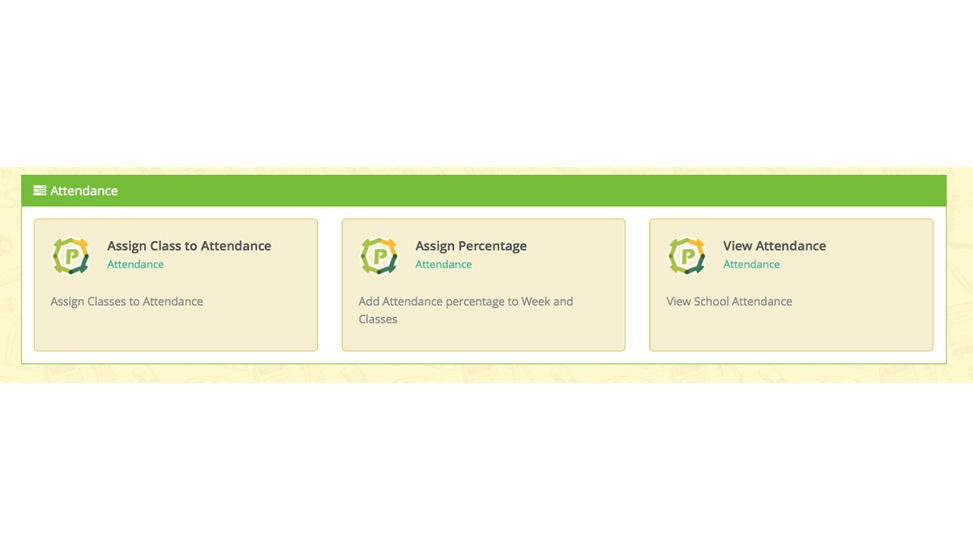
3. To enter the weekly class attendance scores
- Login using the school login details.
- Click 'Assign Percentage' on the dashboard.
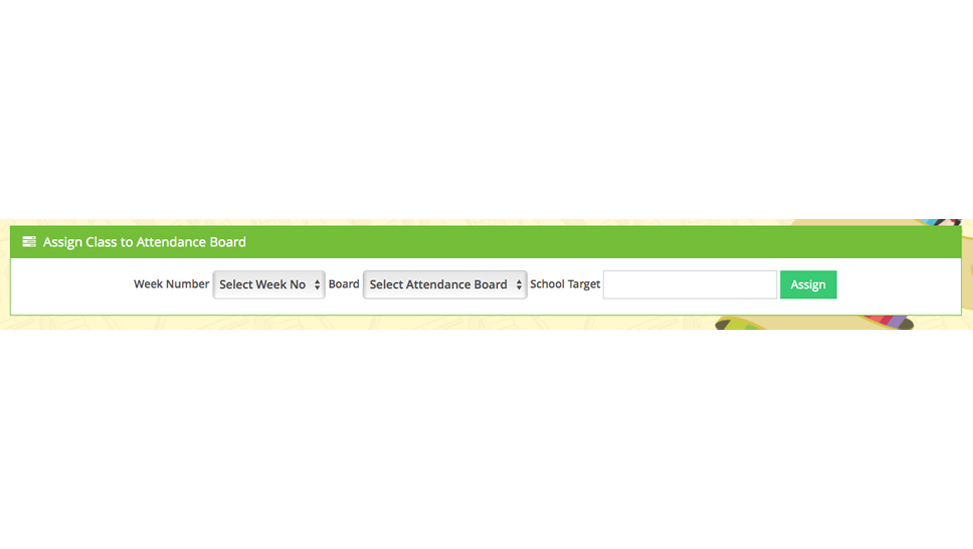
- Select the week required.
- Select the board from the 4 options.

The Tree Board

The Guitar Board

The Thermometer Board

The Rocket Board
4. The big assembly reveal!
- Children of all ages will love the anticipation of seeing their class being revealed and the pride of their class is at the top with the highest attendance.
- Why not display the previous week to remind the children of the class positions previously before revealing the current week?
- Every class’s attendance is stored making it easy to calculate which class has the best attendance over a term or school year.


Subscribe to Primary Learning Zone newsletter to get all news Updates, products and all new discounts.